How Our Sites Are Built
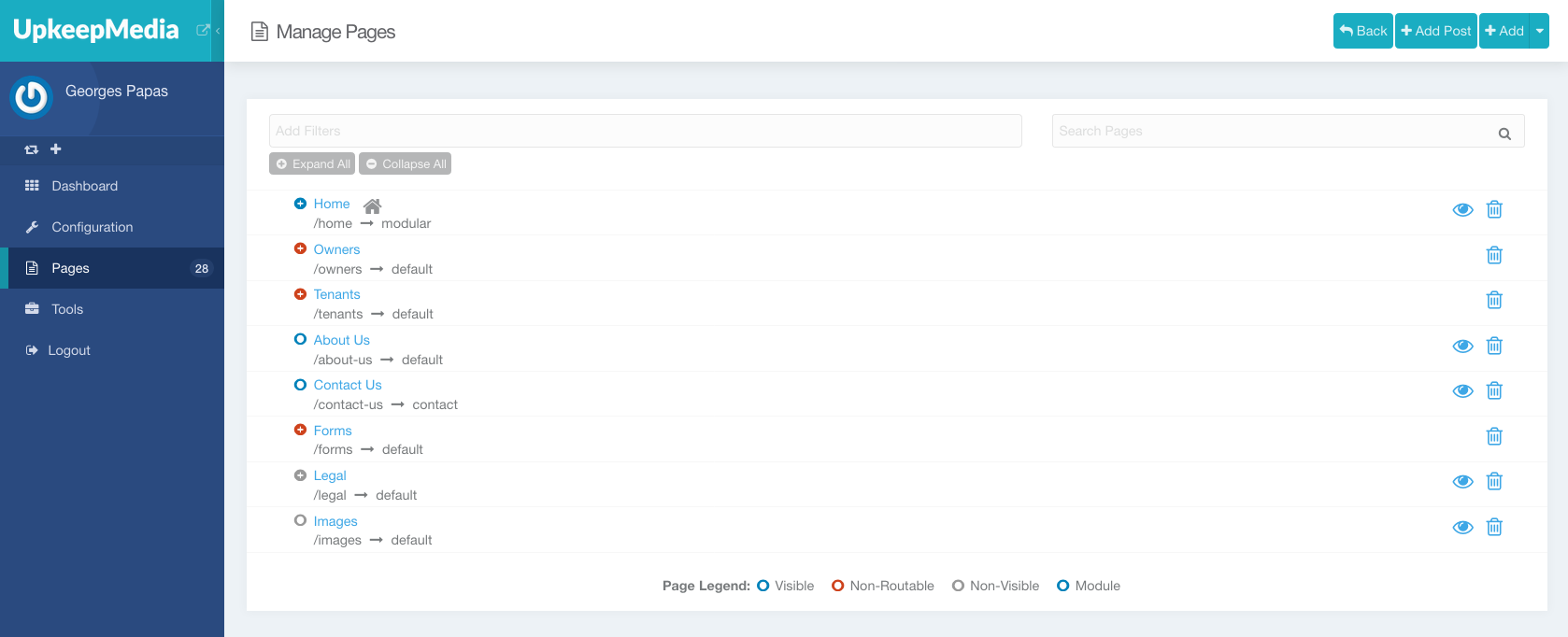
Just like your computer, all of your site's content is stored in a series of folders and files (called Pages), which are listed in the Pages tab of the Admin.
Site Structure & Navigation
The hierarchy and order of the Pages are important: they are used to automatically create the Main Navigation in the header.

Pages placed at the top-level of the structure (or root) are used to create standard menu items like Home & About Us in the screenshot above. Folders create dropdown lists which display all the pages they contain.
Special Menu Items
There are two exceptions to how the Main Navigation treats Pages: Contact Us & Blog. Any Page usign the Blog template will be displayed as a standard menu item (a simple link), instead of a dropdown. This is becaues, although the Blog page has children, listing them all in a dropdown would be excessive.
Contact Us on the other hand is treated like any other Menu, but adds styling to turn it into a Button.